EMT Practice Test

1. Question Content...


Question List

Question1: Score: 7%

Task
Reconfigure the existing deployment front-end and add a port specification named http exposing port 80/tcp of the existing container nginx.
Create a new service named front-end-svc exposing the container port http.
Configure the new service to also expose the individual Pods via a NodePort on the nodes on which they are scheduled.

Question2: Configure the kubelet systemd- managed service, on the node labelled with name=wk8s-node-1, to launch a pod containing a single container of Image httpd named webtool automatically. Any spec files required should be placed in the /etc/kubernetes/manifests directory on the node.
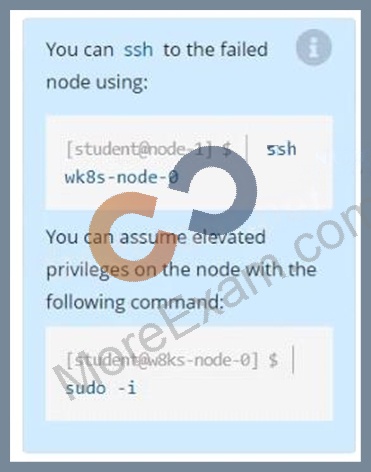
You can ssh to the appropriate node using:
[student@node-1] $ ssh wk8s-node-1
You can assume elevated privileges on the node with the following command:
[student@wk8s-node-1] $ | sudo -i

Question3: Create an nginx pod and list the pod with different levels of verbosity

Question4: Score: 13%

Task
A Kubernetes worker node, named wk8s-node-0 is in state NotReady. Investigate why this is the case, and perform any appropriate steps to bring the node to a Ready state, ensuring that any changes are made permanent.

Question5: Create a pod that echo "hello world" and then exists. Have the pod deleted automatically when it's completed

Question6: List the nginx pod with custom columns POD_NAME and POD_STATUS

Question7: Schedule a pod as follows:
Name: nginx-kusc00101
Image: nginx
Node selector: disk=ssd
Question8: Score: 7%

Task
Create a new nginx Ingress resource as follows:
* Name: ping
* Namespace: ing-internal
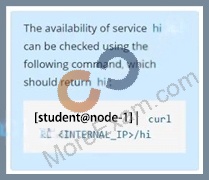
* Exposing service hi on path /hi using service port 5678

Question9: List pod logs named "frontend" and search for the pattern "started" and write it to a file "/opt/error-logs"

Question10: Print pod name and start time to "/opt/pod-status" file

Question11: Create and configure the service front-end-service so it's accessible through NodePort and routes to the existing pod named front-end.

Question12: Scale the deployment webserver to 6 pods.

Question13: Create a pod with environment variables as var1=value1.Check the environment variable in pod

Question14: Ensure a single instance of pod nginx is running on each node of the Kubernetes cluster where nginx also represents the Image name which has to be used. Do not override any taints currently in place.
Use DaemonSet to complete this task and use ds-kusc00201 as DaemonSet name.

Question15: Create a nginx pod with label env=test in engineering namespace

Question16: List "nginx-dev" and "nginx-prod" pod and delete those pods

Question17: List all persistent volumes sorted by capacity, saving the full kubectl output to /opt/KUCC00102/volume_list. Use kubectl 's own functionality for sorting the output, and do not manipulate it any further.

Question18: Check the Image version of nginx-dev pod using jsonpath

Question19: Get list of all the pods showing name and namespace with a jsonpath expression.

Question20: List all the pods sorted by name

Question21: Given a partially-functioning Kubernetes cluster, identify symptoms of failure on the cluster.
Determine the node, the failing service, and take actions to bring up the failed service and restore the health of the cluster. Ensure that any changes are made permanently.
You can ssh to the relevant I nodes (bk8s-master-0 or bk8s-node-0) using:
[student@node-1] $ ssh <nodename>
You can assume elevated privileges on any node in the cluster with the following command:
[student@nodename] $ | sudo -i

Question22: Create a snapshot of the etcd instance running at https://127.0.0.1:2379, saving the snapshot to the file path /srv/data/etcd-snapshot.db.
The following TLS certificates/key are supplied for connecting to the server with etcdctl:
CA certificate: /opt/KUCM00302/ca.crt
Client certificate: /opt/KUCM00302/etcd-client.crt
Client key: Topt/KUCM00302/etcd-client.key

Question23: Create a busybox pod that runs the command "env" and save the output to "envpod" file

Question24: Score: 4%

Task
Scale the deployment presentation to 6 pods.

Question25: Create a pod with image nginx called nginx and allow traffic on port 80